Only eligible offerings with live checkout/support and sufficient marketplace Fuel slots are displayed. Each Engine operates its own storefront. OnHosty Marketplace purchases use platform checkout and separate seller settlement. Native direct-sale pages keep their original payment routes. Supported project contributions retain their native project-support workflow. Project support does not represent an investment or guaranteed return.OnHosty YouTube Creator Studio v2.0.1
OnHosty YouTube Creator Studio v2.0.1
Turn WordPress into a powerful frontend YouTube creator workspace with OnHosty YouTube Creator Studio.
Designed for creators, businesses, agencies, influencers, gaming channels, educators, reviewers, podcasters, and growing YouTube brands, this suite brings video protection, thumbnail design, AI creator assistance, project management, YouTube publishing, and usage controls into one streamlined dashboard.
One Dashboard. One Shortcode. An Entire Creator Studio.
Users access the complete suite from one frontend dashboard using:
[onhosty_youtube_creator_dashboard]
No jumping between multiple pages or confusing WordPress admin screens.
The dashboard gives users direct access to:
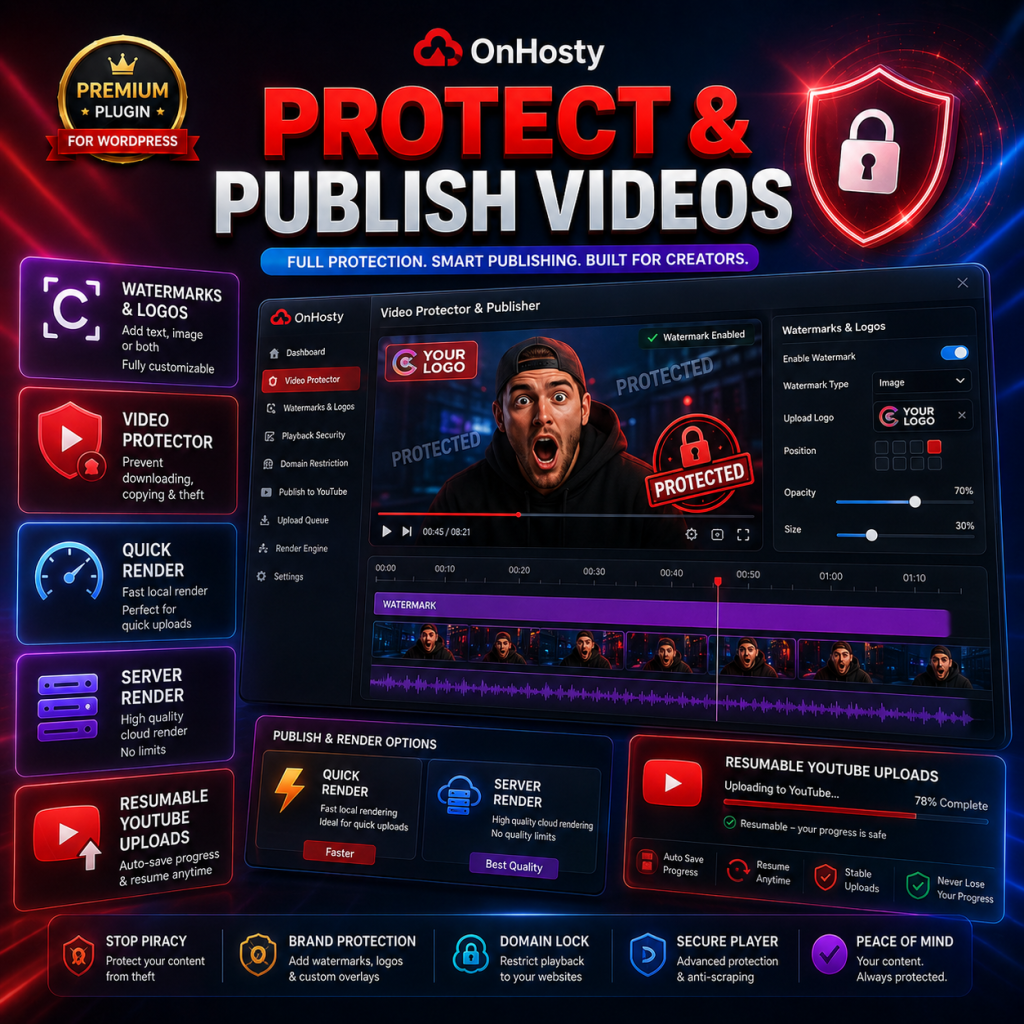
Protect & Customize Your Videos
Upload your owned or licensed source video and turn it into a customized, branded version before publishing.
Add:
Quick browser rendering is available, while the studio also supports an optional external server-render workflow for larger production jobs.
Premium YouTube Thumbnail Studio
Build modern, professional thumbnails directly from your browser.
Create thumbnails at:
Use drag-and-drop editing with:
Create the high-impact style commonly used by modern YouTube creators while maintaining your own unique branding.
35 Premium Thumbnail Templates
Start faster with a built-in collection of 35 editable thumbnail templates covering multiple content styles.
Categories include:
Every template can be customized with your own photos, text, logo, colors, and content.
AI Thumbnail Coach
Not sure what kind of thumbnail to create?
Let the built-in AI Thumbnail Coach guide you.
Enter information about your:
The studio can then help recommend:
Use AI as an assistant—not as a promise of guaranteed views.
A/B/C Thumbnail Lab
Don't rely on only one design.
Generate three different thumbnail approaches:
A — Emotion First
Emphasizes facial expression and reaction.
B — Result First
Puts the outcome, transformation, product, or payoff front and center.
C — Clean / Minimal
Uses a cleaner design with fewer competing elements.
Export different variations and test which approach works best for your audience.
Use Your Own OpenAI API Key
Creators can optionally bring their own OpenAI API credentials.
With BYO API:
This is ideal for users who already maintain their own OpenAI API account.
OnHosty AI Fallback
Don't have an OpenAI API key?
Eligible users can use OnHosty AI fallback instead.
OnHosty AI supports:
Users pay for the AI resources they actually consume according to the pricing configured by the site administrator.
Connect Your Own YouTube / Google API
Users can connect their own YouTube credentials and Google OAuth configuration.
Supported configuration includes:
Eligible users can publish supported content or thumbnails through the YouTube integration.
YouTube-Ready Thumbnail Optimization
Keep your high-resolution 5K master thumbnail while the plugin prepares a smaller optimized version when needed for YouTube publishing.
This means creators can preserve the high-quality source project while producing a platform-ready copy for use on YouTube.
Resumable YouTube Upload Architecture
Video publishing is designed for larger files using resumable/chunked upload handling rather than requiring an entire video to be loaded into PHP memory at once.
This provides a stronger foundation for larger creator workloads and production environments.
Saved Creator Projects
Users can save and manage their work from the frontend.
Project tools include:
Brand-Friendly Workflow
Creators can repeatedly use their:
to maintain a more consistent channel presentation.
Frontend Client Experience
The creator does not need access to the WordPress backend.
Everything is designed to operate through a professional frontend creator dashboard.
This makes the plugin suitable for:
Powerful Administrator Controls
Site administrators remain in control.
Set limits by WordPress role for:
Create different service levels for Starter, Pro, Ultimate, or your own custom roles.
Built-In Creator Roles
The plugin supports creator-oriented roles such as:
Administrators can customize access and allowances to build their own pricing structure.
WooCommerce AI Credit Support
WooCommerce products can be configured to add OnHosty AI credit to a customer's account after purchase.
Create:
This allows the creator studio to operate as a monetized AI-enabled service.
Usage & Credit Dashboard
Users can monitor important account activity directly from their dashboard, including:
Built for Creators Who Want More Than a Thumbnail Editor
OnHosty YouTube Creator Studio combines multiple creator workflows into one product.
Instead of using one tool for thumbnails, another for branding, another for AI guidance, and another for project management, your users can handle their creator workflow from one WordPress-powered dashboard.
Great For
Create. Protect. Brand. Optimize. Publish.
Give creators the tools to turn their raw content into a polished, branded YouTube-ready presentation with OnHosty YouTube Creator Studio v2.0.1.