Woo Connector

Woo Connector

Automatically create, sync, and manage licenses from WooCommerce products.

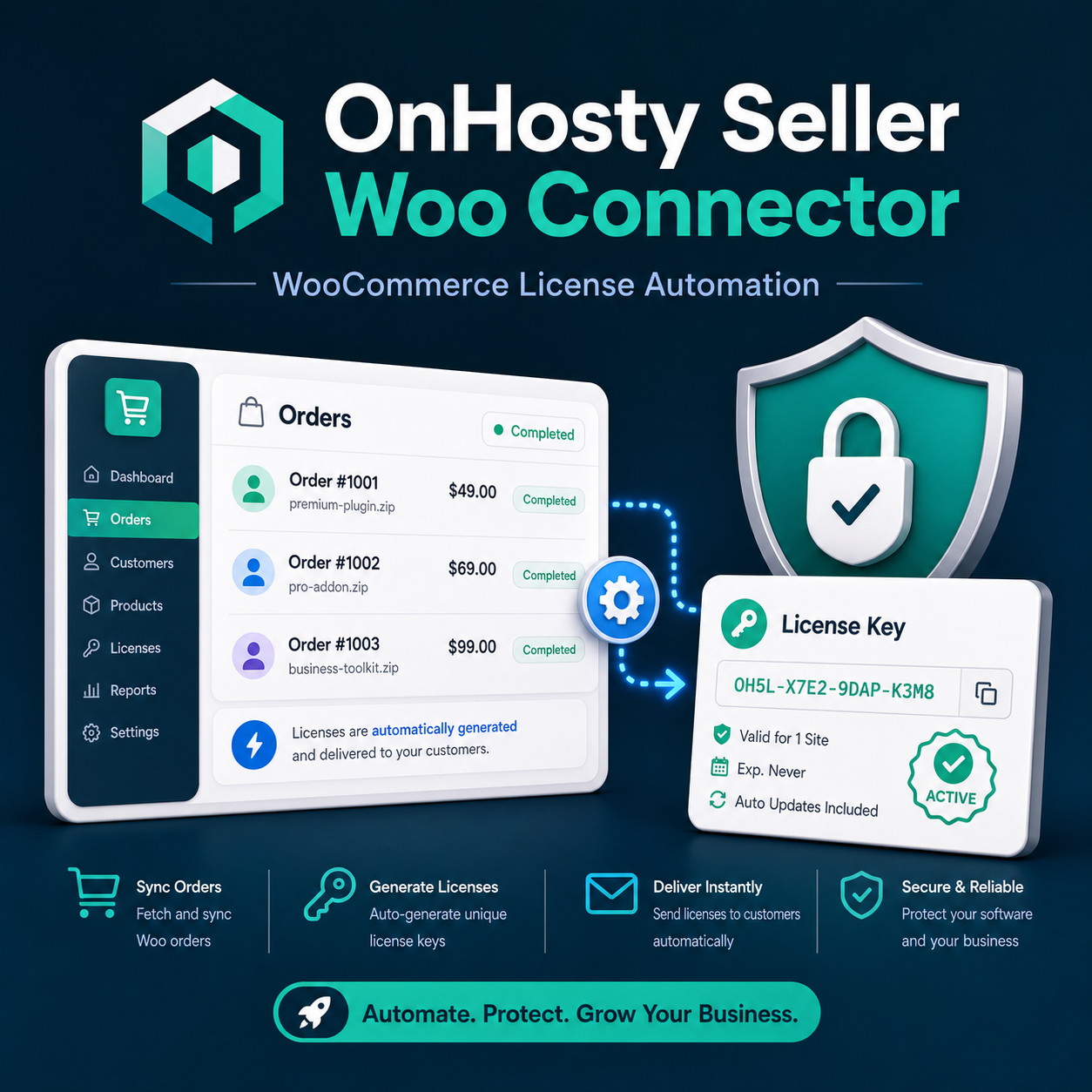
Woo Seller Connector links WooCommerce products to OnHosty Guard licensing so sellers can automate protected product access. When a customer buys a connected product, the system can create or sync the correct license, connect access to the product, and help manage renewals or suspensions.

This is ideal for sellers who want to sell plugins, themes, downloads, content access, services, APIs, or full access bundles through WooCommerce without manually creating every license. It helps make the selling process easier, cleaner, and more automatic.

$4.99/monthPlace Order

OnHosty Seller Woo Connector

Connect WooCommerce sales to automatic license delivery.

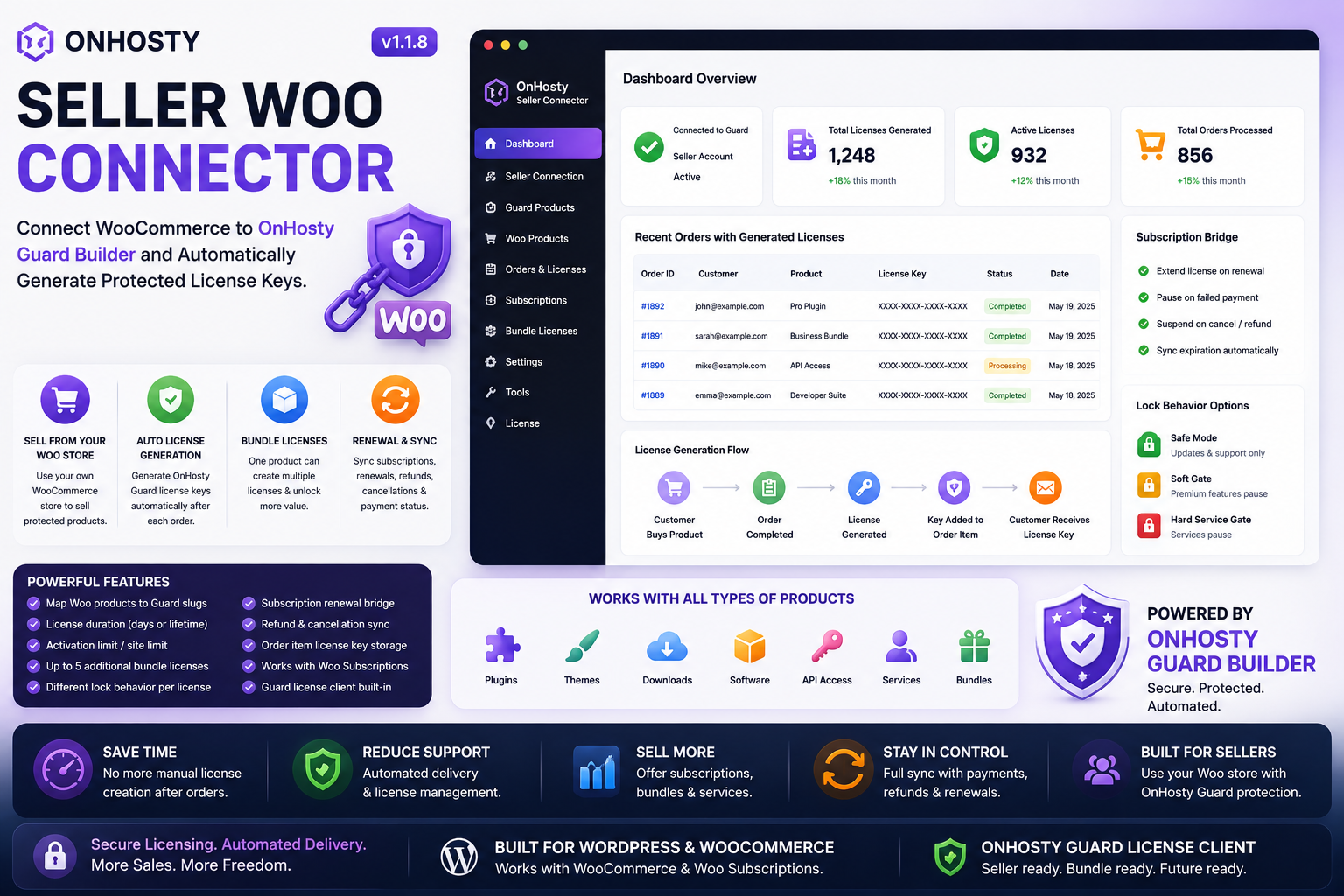
The Woo Connector Plugin turns a normal WooCommerce purchase into a complete protected-product delivery system. It can generate Guard licenses, unlock product plans, connect subscriptions, deliver master license vault access, and keep customer access synced with payment status.
OnHosty Woo Connector license automation dashboard
Woo Sale License Created
Subscription Status Access Synced

Without Woo Connector

Sellers may have to manually create license keys, send downloads, assign plan access, update customer records, handle failed payments, and remove access after cancellations.

With Woo Connector

WooCommerce purchases can automatically create licenses, unlock plans, deliver protected products, sync renewals, pause cancelled access, and send buyers to their licensed product vault.
Why It Is Necessary

Digital products need automatic access control after checkout.

A download button is not enough when selling plugins, services, bundles, subscriptions, protected downloads, or plan-based software. Woo Connector is the bridge between payment and protected access.
🛒

Woo Product to License

Connect a WooCommerce product to a Guard software slug so a license can be created when the customer buys.
Why necessary: Customers should receive access automatically instead of waiting for manual setup.
🔐

Standard License Mode

Sell one protected product and generate one license key for one plugin, theme, download, service, or protected item.
Why necessary: Perfect for simple products that need clean activation and buyer-only access.
👑

Master / Bundle License Mode

Sell one Woo product that unlocks multiple protected products, modules, or services through one master key.
Why necessary: Needed for bundles, suites, agency plans, Command Suite access, and full-access offers.

Basic, Pro, Ultimate Plan Mapping

Select which plan a product unlocks: Auto, Basic, Pro, or Ultimate. The selected plan can be sent to Guard Builder during license creation.
Why necessary: One plugin codebase can unlock different feature levels depending on what the buyer purchased.
📦

Additional License Rows

One Woo product can generate multiple Guard licenses, such as plugin access, download access, service access, and API access.
Why necessary: Higher-value products often include more than one protected asset.
🔄

Subscription Renewal Bridge

Monthly or yearly subscriptions can keep one license key active and extend access after successful renewal payments.
Why necessary: Subscription products need access to follow payment status automatically.
🚫

Cancel, Refund, Expire, Pause

Downloads and services can lock when the connected master license or subscription is paused, cancelled, expired, refunded, or disabled.
Why necessary: Customers should not keep premium access after payment stops.
🧰

Buyer License Vault

Customers can visit a licensed product vault to see active licensed downloads and master license access.
Why necessary: Buyers need a clean place to find products instead of searching old emails or order pages.
🛡️

Lock Behavior Control

Choose how protected products behave when a license has problems: safe mode, soft gate, or hard service gate.
Why necessary: Different products need different enforcement levels, from update-only locks to full service pauses.
Woo Connector service automation
Must-Have Service

The connector is the middle layer that makes the whole sales system work.

Guard Protection controls access. WooCommerce collects payment. Woo Connector connects both sides so a buyer can pay, receive the right license, unlock the right plan, and keep access synced with the order or subscription.
Creates license access after purchase
Supports standard products and master bundle products
Maps Woo products to Basic, Pro, and Ultimate unlocks
Keeps subscriptions connected to active license access
Gives buyers a vault for licensed product downloads
Helps sellers avoid manual delivery and support confusion
Connector Flow

How the service works

The flow is simple: product purchase goes in, protected access comes out.
1

Customer buys in WooCommerce

The customer purchases a product, subscription, service, or bundle from the seller’s WooCommerce store.
2

Connector reads product rules

The connector checks the license mode, software slug, plan unlock, activation limit, lifetime option, and subscription bridge settings.
3

Guard license is generated

A standard license or master bundle license is created through the connected Guard Builder system.
4

Buyer gets protected access

The buyer can access licensed downloads, protected modules, services, or plan-based product features.

Woo Connector Breakdown

Feature What It Does Why It Matters
Product License Mapping Connects Woo products to Guard software slugs and license rules. Turns a sale into protected access automatically.
Plan Unlock Mapping Supports Auto, Basic, Pro, and Ultimate feature unlocks. Lets one product system sell multiple plan levels.
Master License Products Creates one master key that can unlock multiple included products or modules. Needed for bundles, suites, full-access memberships, and agency products.
Additional License Slots Allows one Woo product to generate multiple licenses. Useful when one offer includes plugins, services, downloads, and protected tools.
Subscription Sync Updates licenses when subscriptions renew, fail, cancel, expire, or refund. Keeps paid access connected to payment status.
Buyer Download Vault Shows active licensed products and downloads in a customer-facing vault. Makes delivery cleaner and reduces customer support issues.
Auto-Created Pages Can create connector dashboard and licensed product vault pages with the needed shortcodes. Makes setup easier and faster for sellers.
Useful Shortcodes

Frontend pages the connector can power

These shortcodes can be used for buyer vaults, connector dashboards, and quick access pages.
[ onhosty_seller_master_download_vault ] [ onhosty_master_license_download_vault ] [ onhosty_my_licensed_products ] [ onhosty_seller_connector_dashboard ] [ onhosty_seller_connector_pages ]
Sell Smarter

Woo Connector makes protected product selling feel automatic.

This service is necessary because every serious digital product store needs a reliable bridge between WooCommerce payment, Guard license control, customer delivery, and subscription access.

Woo Connector

Woo Connector

Automatically create, sync, and manage licenses from WooCommerce products.

Woo Seller Connector links WooCommerce products to OnHosty Guard licensing so sellers can automate protected product access. When a customer buys a connected product, the system can create or sync the correct license, connect access to the product, and help manage renewals or suspensions.

This is ideal for sellers who want to sell plugins, themes, downloads, content access, services, APIs, or full access bundles through WooCommerce without manually creating every license. It helps make the selling process easier, cleaner, and more automatic.

$4.99/monthPlace Order