Description
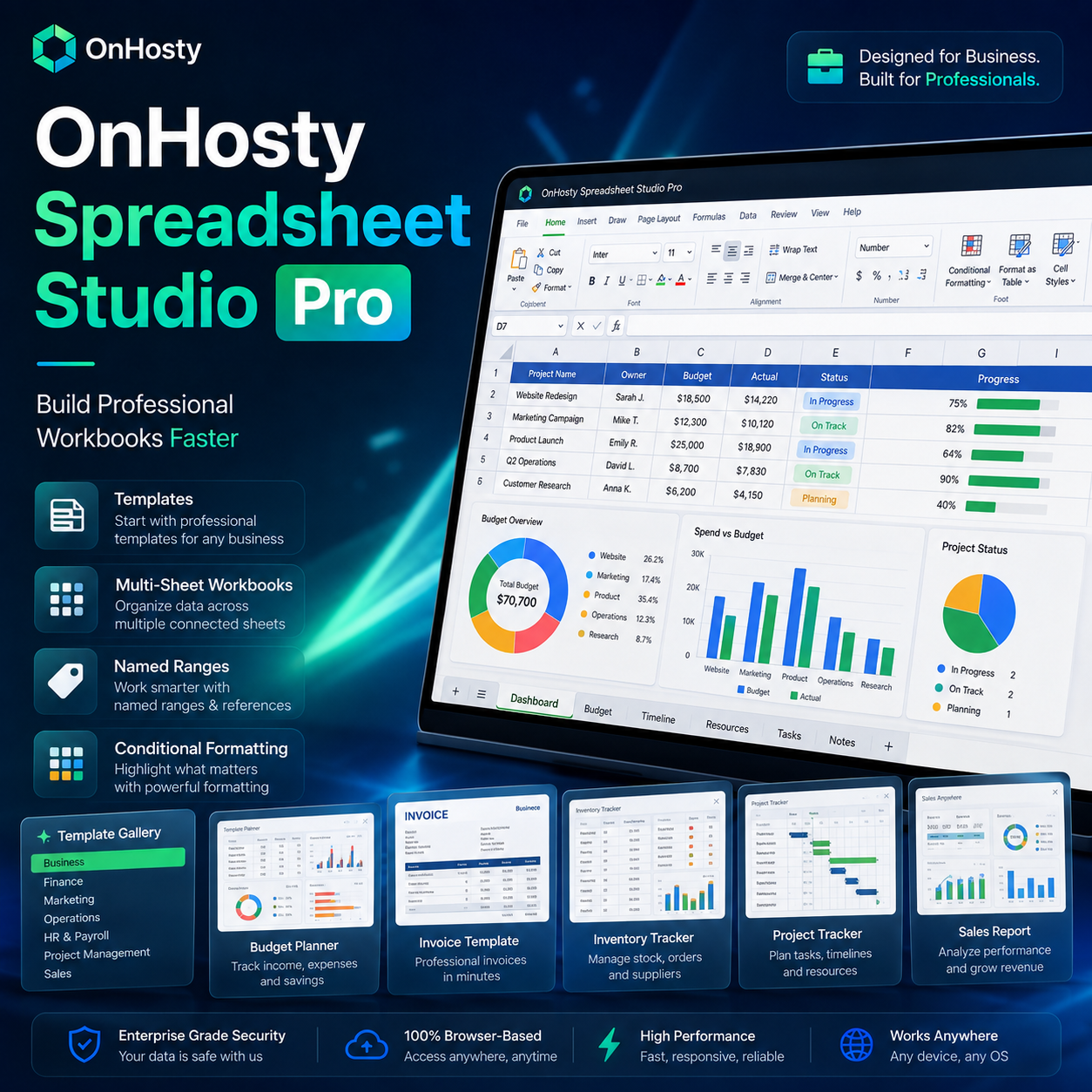
OnHosty Spreadsheet Studio Pro 
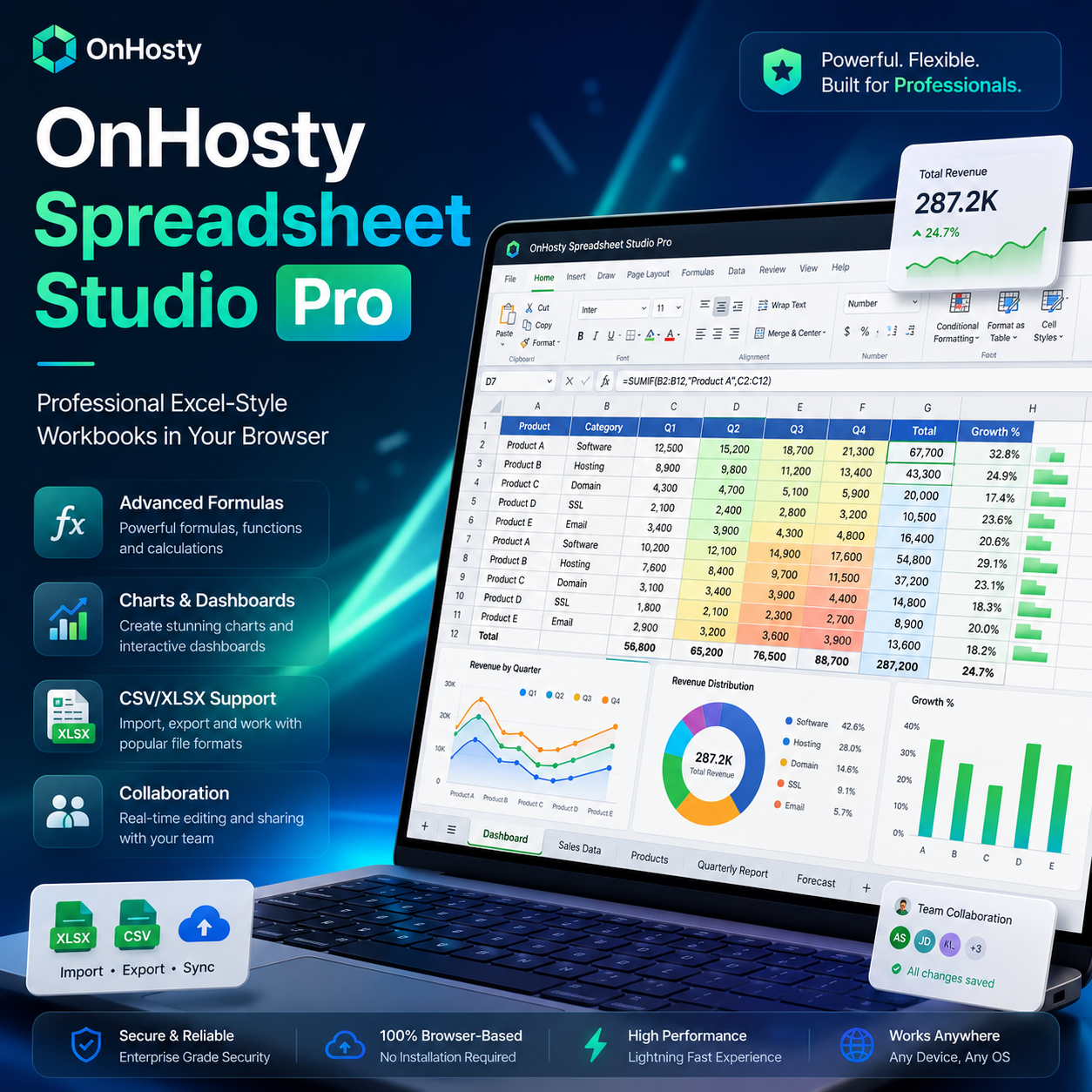
Professional Excel-Style Spreadsheets—Directly From Your Browser
Turn your OnHosty account into a powerful online spreadsheet workspace with OnHosty Spreadsheet Studio Pro.
Create, edit, calculate, analyze, organize and share professional spreadsheets without requiring customers to install desktop software.
Whether you’re building a monthly budget, tracking sales, managing inventory, analyzing business performance, creating financial calculations or preparing a professional report, Spreadsheet Studio gives you an Excel-style workspace designed for modern browser-based productivity.
Professional Spreadsheet Workspace
Work inside a polished spreadsheet interface designed to feel familiar to anyone who has used professional spreadsheet software.
Features include:
- Excel-style grid
- Formula bar
- Name box
- Row and column headers
- Multiple worksheet tabs
- Light and dark workspace
- Fullscreen Studio
- Focus Grid mode
- Zoom controls
- Professional ribbon interface
- Selection statistics
- Workbook status information
- Keyboard navigation
- Copy, cut and paste
- Undo and redo
Create serious workbooks without leaving your browser.
Powerful Formula Engine
Build calculations using standard cell references, ranges, cross-sheet references and advanced spreadsheet formulas.
Supported functionality includes:
SUMAVERAGEMINMAXCOUNTCOUNTAIFIFSIFERRORCOUNTIFCOUNTIFSSUMIFSUMIFSAVERAGEIFAVERAGEIFSVLOOKUPXLOOKUPINDEXMATCHROUNDROUNDUPROUNDDOWNABSLENLEFTRIGHTCONCATUPPERLOWERTRIM- Date functions
- Arithmetic calculations
- Comparisons
- Cross-sheet formulas
Spreadsheet Studio also supports absolute and mixed references such as:
$A$1
$A1
A$1
Formula errors are displayed using familiar spreadsheet-style values such as:
#DIV/0!
#REF!
#VALUE!
#NAME?
#N/A
#CIRC!
Smart Formula Recalculation
Spreadsheet Studio includes dependency-aware recalculation.
Instead of unnecessarily rebuilding an entire workbook every time one cell changes, dependent formulas can be recalculated intelligently.
This helps improve performance for larger, calculation-heavy workbooks.
Multiple Worksheets
Build complete workbooks instead of being limited to one spreadsheet.
Users can:
- Add sheets
- Rename sheets
- Duplicate sheets
- Delete sheets
- Reorder sheets
- Reference other worksheets in formulas
- Protect individual sheets
- Freeze worksheet areas
Perfect for organizing:
- Monthly financial reports
- Departments
- Sales regions
- Inventory categories
- Projects
- Client records
- Reporting periods
Professional Cell Formatting
Customize your workbook with professional formatting controls.
Apply:
- Font family
- Font size
- Bold
- Italic
- Underline
- Text colors
- Cell background colors
- Alignment
- Text wrapping
- Number formatting
- Currency
- Percentages
- Dates
- Decimal precision
- Cell styles
- Table styles
Conditional Formatting
Make important data instantly visible.
Create formatting rules for:
- Positive values
- Negative values
- Greater than
- Less than
- Equal to
- Text matching
- Duplicate values
- Data bars
- Selected ranges
Turn raw spreadsheets into easy-to-read visual reports.
Format as Table
Transform spreadsheet ranges into clean professional tables using built-in table styles.
Great for:
- Customer lists
- Sales records
- Inventory
- Expenses
- Employees
- Project records
- Marketing data
- Business reporting
Data Validation & Dropdowns
Control what users can enter into selected cells.
Create:
- Dropdown lists
- Number validation
- Date validation
- Restricted input ranges
Perfect for statuses such as:
Not Started / In Progress / Complete
or:
Low / Medium / High
Named Ranges
Assign readable names to important spreadsheet ranges.
Instead of relying only on cell references, organize important workbook data through the built-in Name Manager.
Named ranges make larger business workbooks easier to understand and maintain.
Drag Fill
Use spreadsheet-style fill behavior to quickly extend:
- Values
- Formulas
- Patterns
Relative references automatically adjust when formulas are filled into additional cells.
Paste Special
Take greater control over copied spreadsheet data.
Paste:
- Everything
- Values only
- Formulas only
- Formatting only
- Transposed data
- While skipping blank cells
Find & Replace
Quickly locate or replace information in:
- The current worksheet
- The entire workbook
Great for large customer databases, inventory sheets and operational workbooks.
Professional Data Tools
Spreadsheet Studio includes tools for cleaning and organizing workbook data.
Features include:
- Sort ascending
- Sort descending
- Filtering
- Remove filters
- Remove duplicates
- Text to Columns
- Hide rows
- Hide columns
- Unhide rows/columns
- AutoFit
- Freeze panes
- Freeze to selection
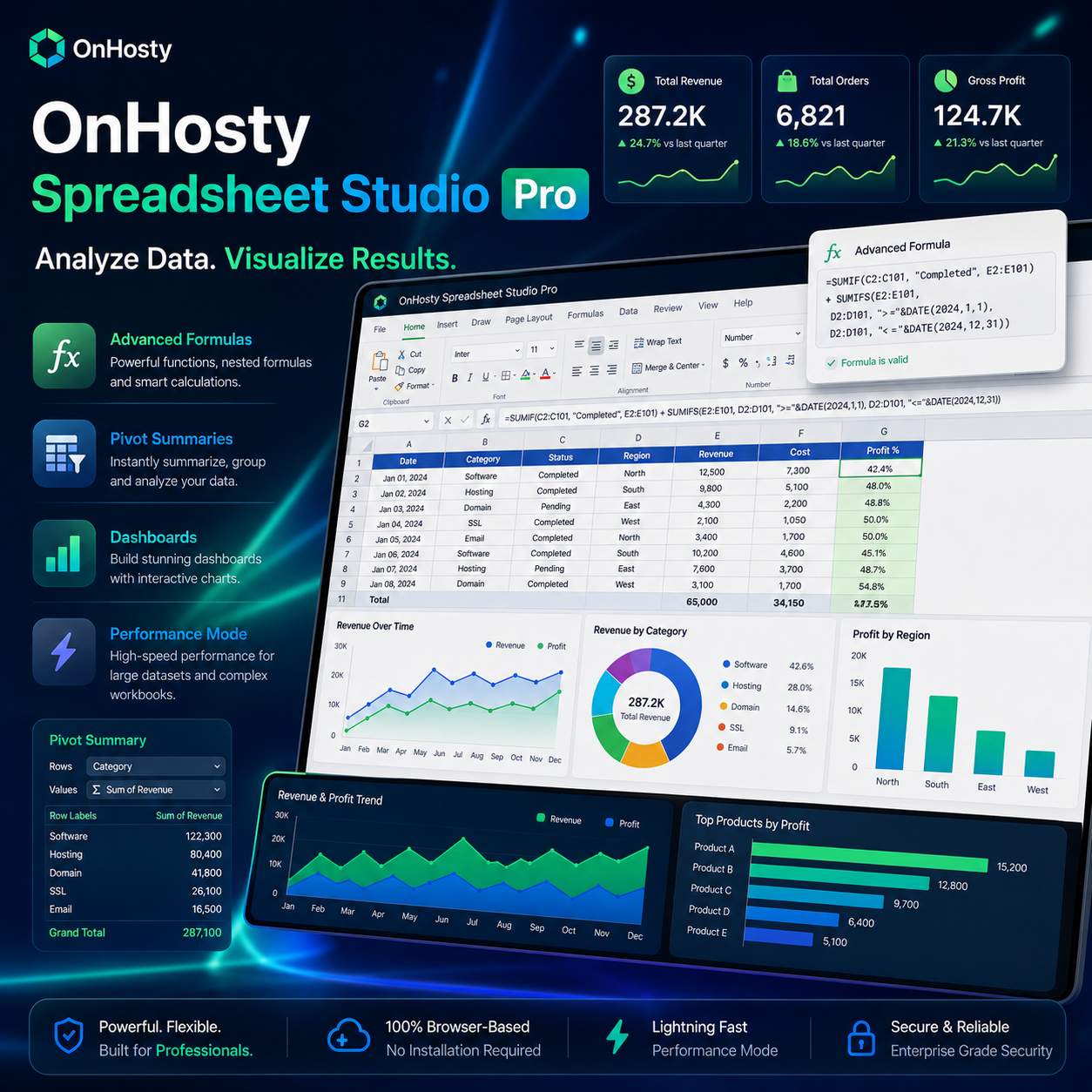
Charts & Visual Reporting
Turn spreadsheet data into professional visual reports.
Create:
- Column charts
- Bar charts
- Line charts
- Area charts
- Pie charts
- Doughnut charts
- Scatter charts
- Combo charts
Advanced chart options can include:
- Data labels
- X-axis titles
- Y-axis titles
- Legend controls
- Multiple series
Great for reports, dashboards and presentations.
Pivot-Style Summaries
Quickly summarize larger datasets using Pivot-style analysis tools.
Create summaries using calculations such as:
- Sum
- Count
- Average
- Minimum
- Maximum
Perfect for turning detailed transactional data into useful business information.
Large Workbook Performance Mode
Spreadsheet Studio includes optimization specifically for larger worksheets.
Large sheets can automatically use a virtualized grid, rendering the working area instead of thousands of unnecessary off-screen cells.
Combined with smarter formula recalculation, this helps maintain a responsive editing experience as workbooks become more complex.
Import CSV & XLSX Files
Bring existing spreadsheet data into Spreadsheet Studio.
Supported import formats include:
- CSV
- XLSX
Import previews help users review incoming data before modifying their workbook.
CSV tools can provide header handling, while XLSX imports can allow worksheet selection before data is added.
Export Your Work
Download or distribute workbook information using:
- XLSX
- CSV
- Selected range to CSV
- JSON workbook backup
- Save as PDF
Generated XLSX files are handled as temporary server files rather than being permanently exposed in public upload directories.
Professional Spreadsheet Templates
Start faster using ready-made workbook templates.
Examples include:
Finance
- Monthly Budget
- Cash Flow
- Profit & Loss
- Expense Tracker
- Invoice Tracker
- Savings Planner
- Loan Tracker
Sales & CRM
- Sales Tracker
- Sales Pipeline
- CRM List
Business & Operations
- Project Tracker
- Inventory
- Timesheet
- Schedule
- KPI Dashboard
Marketing
- Marketing Tracker
- Content Calendar
Education
- Gradebook
- Attendance
Planning
- Event Planner
Or start with a completely blank workbook.
Workbook Protection
Protect important spreadsheet information.
Features include:
- Sheet protection
- Protected cell ranges
- Locked workbook areas
- Editing permissions
This is useful for templates, financial models and workbooks containing formulas users shouldn’t accidentally overwrite.
Autosave & Recovery
Protect customer work with multiple layers of recovery.
Spreadsheet Studio includes:
- Automatic saving
- Manual saving
- Browser crash recovery
- Recovery Points
- Version history
- Restore previous versions
- Collaboration conflict detection
If something changes unexpectedly, customers have options for recovering their work.
Sharing & Collaboration
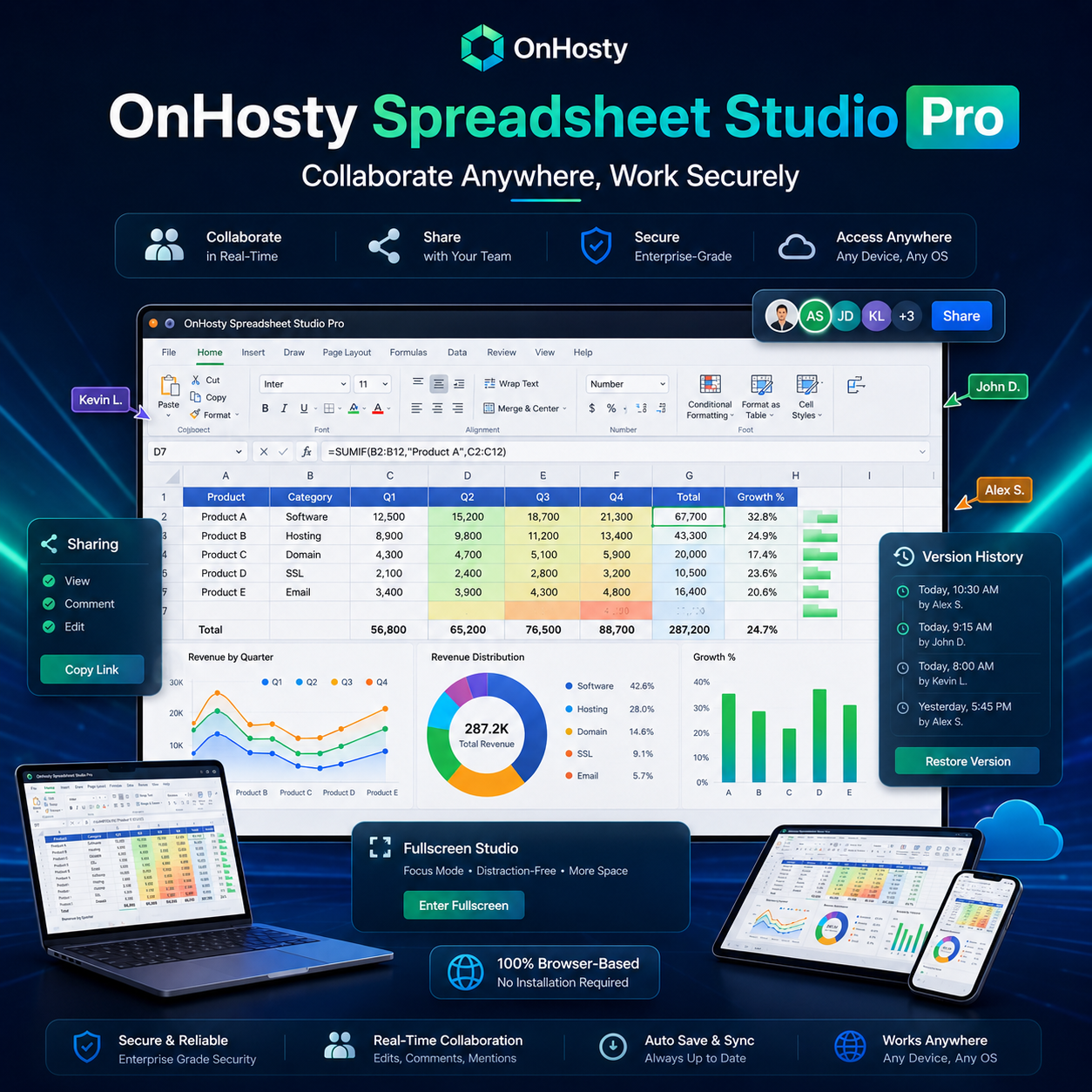
Share workbooks with other authorized users.
Access levels can include:
- Owner
- Can View
- Can Edit
Live collaborator presence lets users know who else currently has a workbook open.
Version-token conflict protection also helps prevent one editor from silently overwriting a newer saved version.
Private Customer Workbooks
Customer workbooks are stored as private WordPress records rather than ordinary public posts.
Administrators can control:
- Which roles receive access
- Workbook limits
- Worksheet limits
- Row limits
- Column limits
- Maximum workbook size
- Import limits
- Revision retention
Role-specific limits make Spreadsheet Studio suitable for different membership or service packages.
Server Diagnostics
Administrators can view important environment information such as:
- PHP version
- PHP ZipArchive availability
- DOM/XML support
- PHP memory limit
- WordPress upload limit
- Spreadsheet Studio import limit
This makes compatibility issues easier to identify before customers encounter them.
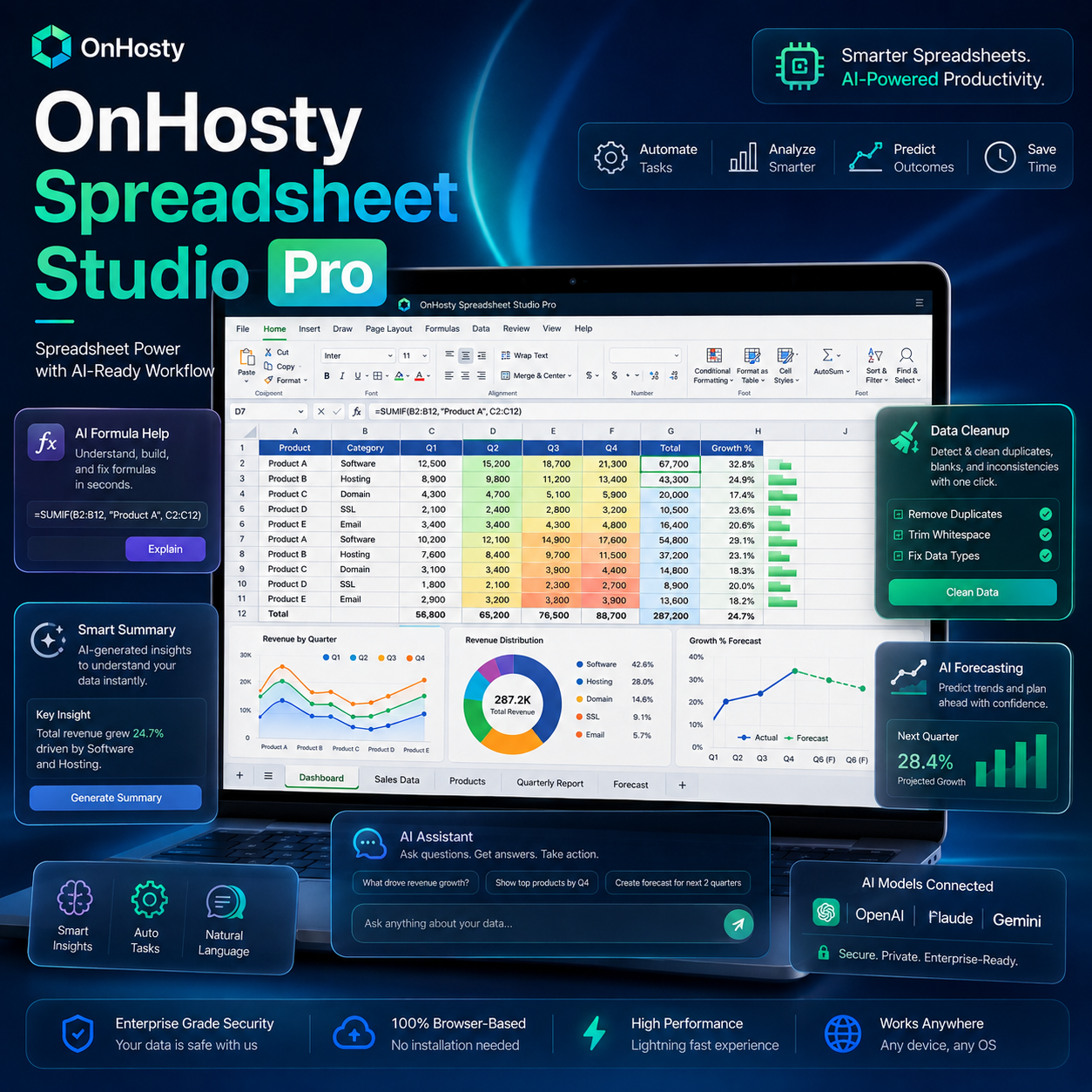
Workforce-Ready AI Architecture
Spreadsheet Studio is already prepared for future OnHosty AI Workforce integration.
Future AI workers can be connected to perform tasks such as:
- Create spreadsheets
- Build formulas
- Analyze datasets
- Clean imported data
- Generate forecasts
- Create reports
- Summarize workbooks
- Find anomalies
- Build financial models
- Generate dashboards
- Update customer workbooks
The existing AI integration foundation allows Spreadsheet Studio to grow into a powerful AI-assisted business data workspace.
Build. Calculate. Analyze. Organize.
OnHosty Spreadsheet Studio Pro combines professional spreadsheet tools, modern browser convenience, data analysis, workbook management and customer-focused collaboration into one powerful online workspace.
From simple lists to advanced business calculations, Spreadsheet Studio gives customers the tools they need to turn raw data into organized, actionable information.

Reviews
There are no reviews yet.