Description
OnHosty Presentation Studio Pro
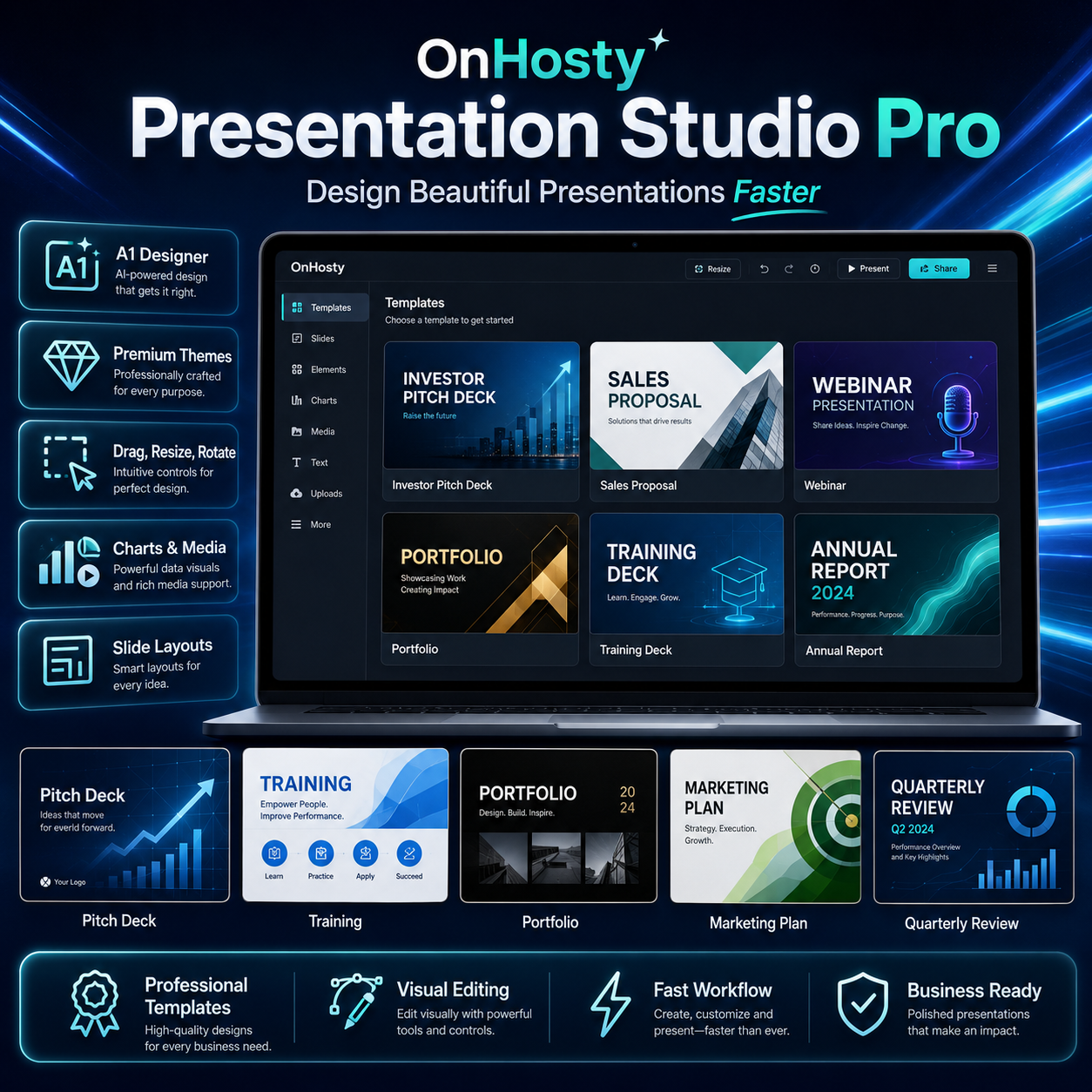
Create Powerful Professional Presentations Directly From Your Browser
Turn ideas, data and business information into visually impressive presentations with OnHosty Presentation Studio Pro.
Presentation Studio gives customers a modern PowerPoint-style design workspace directly inside their browser—without requiring desktop presentation software.
Build:
- Investor pitch decks
- Sales presentations
- Business proposals
- Marketing plans
- Training materials
- Product launches
- Company presentations
- Reports
- Webinars
- Educational presentations
- Portfolios
- Case studies
- Creative decks
- Client presentations
- And much more
Everything is designed around a professional visual slide-building experience.
Professional PowerPoint-Style Interface
Work inside a polished presentation workspace designed for serious business and creative use.
The editor includes:
- Slide thumbnail navigator
- Large editable slide canvas
- Professional top ribbon
- Right-side formatting tools
- Speaker notes
- Animation timeline
- Slide sections
- Zoom controls
- Fullscreen Studio
- Focus Canvas
- Light and dark workspace modes
The interface is designed to feel familiar while remaining fast and easy to use from the frontend.
True Visual Slide Editing
Build presentations using a real visual canvas.
Objects can be:
- Dragged
- Resized
- Rotated
- Duplicated
- Deleted
- Locked
- Hidden
- Grouped
- Ungrouped
- Moved forward
- Sent backward
- Brought to front
- Sent to back
Multi-object selection makes it easy to edit several elements together.
Professional Alignment & Layout Tools
Create cleaner presentations with built-in layout controls.
Align objects:
- Left
- Center
- Right
- Top
- Middle
- Bottom
Distribute objects:
- Horizontally
- Vertically
You can also:
- Center objects on the slide
- Snap to grid
- Snap to slide center
- Snap to other objects
- Use visible alignment guides
- Use horizontal and vertical rulers
Text, Shapes & Design Elements
Add and customize:
- Text boxes
- Rectangles
- Rounded rectangles
- Circles
- Callouts
- Lines
- Icons
- Tables
- Charts
- Images
- Video
- Audio
Professional styling controls include:
- Fonts
- Font sizes
- Bold
- Italic
- Text alignment
- Text colors
- Fills
- Gradients
- Borders
- Border thickness
- Opacity
- Shadows
- Glow
- Blur
- Corner radius
- Letter spacing
- Line spacing
A1 Designer
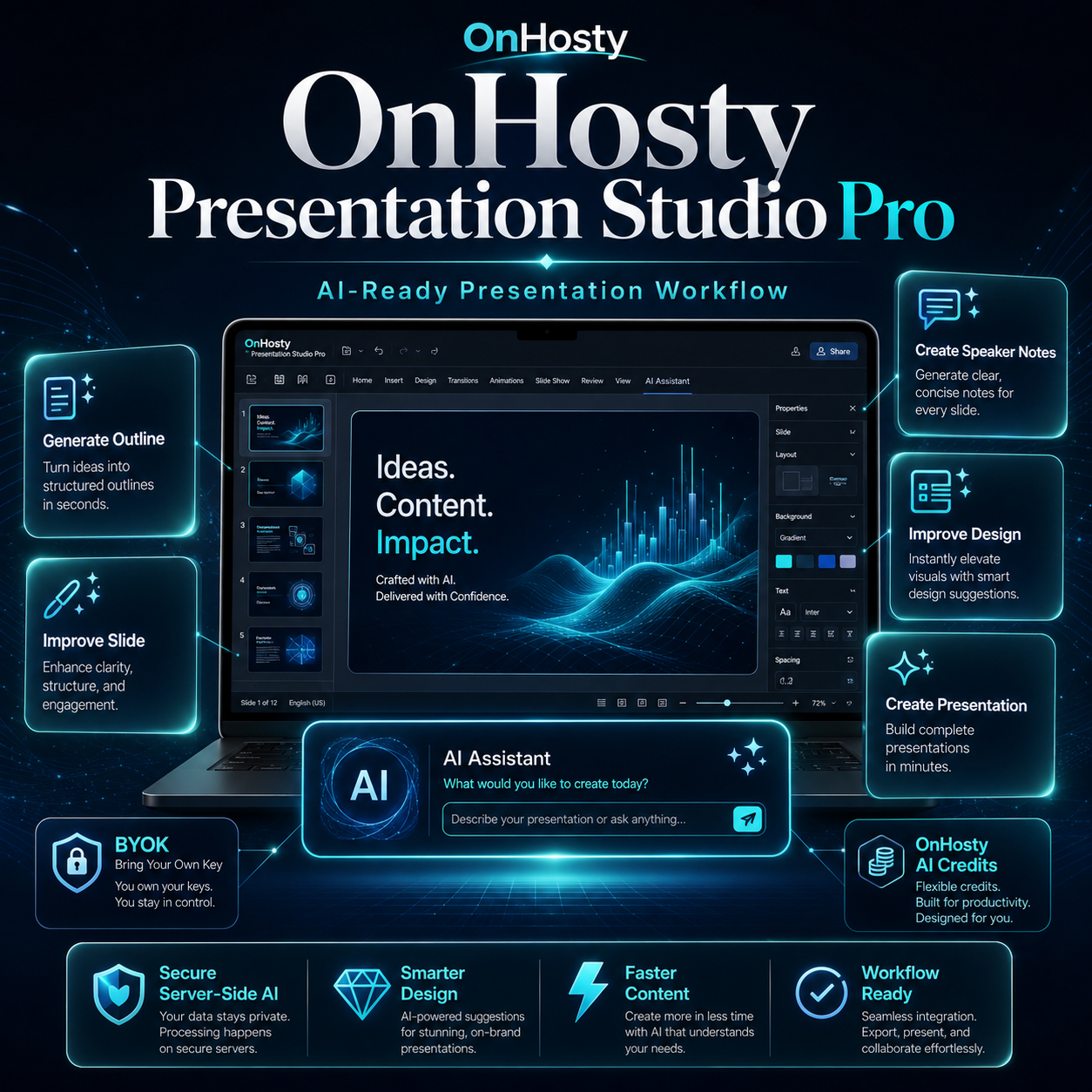
Give presentations a more polished professional appearance with the built-in A1 Designer.
Design modes can include:
- Modern Pro
- Executive
- Cinematic
- Vibrant
- Minimal
A1 Designer can help improve:
- Slide hierarchy
- Presentation styling
- Visual balance
- Motion
- Transitions
- Overall presentation consistency
Apply styling to one slide or across the entire presentation.
Professional Themes
Choose from premium presentation themes such as:
- OnHosty Signature
- Clean Pro
- Midnight
- Sunrise
- Executive
- Luxury Black
- Tech Neon
- Ocean Glass
- Creative Studio
- Emerald Business
- Royal Purple
- Minimal Mono
Customize:
- Slide colors
- Background colors
- Background images
- Theme fonts
- Presentation style
25+ Starter Presentation Templates
Start quickly using professionally structured presentation types.
Business
- Investor Pitch Deck
- Startup Launch
- Sales Proposal
- Company Overview
- Marketing Plan
- Product Launch
- Quarterly Review
- Annual Report
- Real Estate Proposal
Professional
- Training Deck
- Webinar
- Workshop
- Case Study
Creative
- Creative Portfolio
- Brand Deck
- Fashion Lookbook
- Agency Pitch
Education
- Research Presentation
- Lesson Slides
- Student Project
Modern Styles
- Technology Vision
- Luxury Executive
- Minimal Professional
- Impact / Nonprofit
And more.
Templates include professionally structured slide sequences so customers do not have to begin every presentation from scratch.
Multiple Slide Layouts
Create new slides using layouts including:
- Blank
- Title
- Title + Content
- Two Columns
- Section
- Quote
- Image + Text
- KPI / Big Number
- Three Cards
Slides can also be duplicated, reordered, deleted or organized into sections.
30+ Object Animations
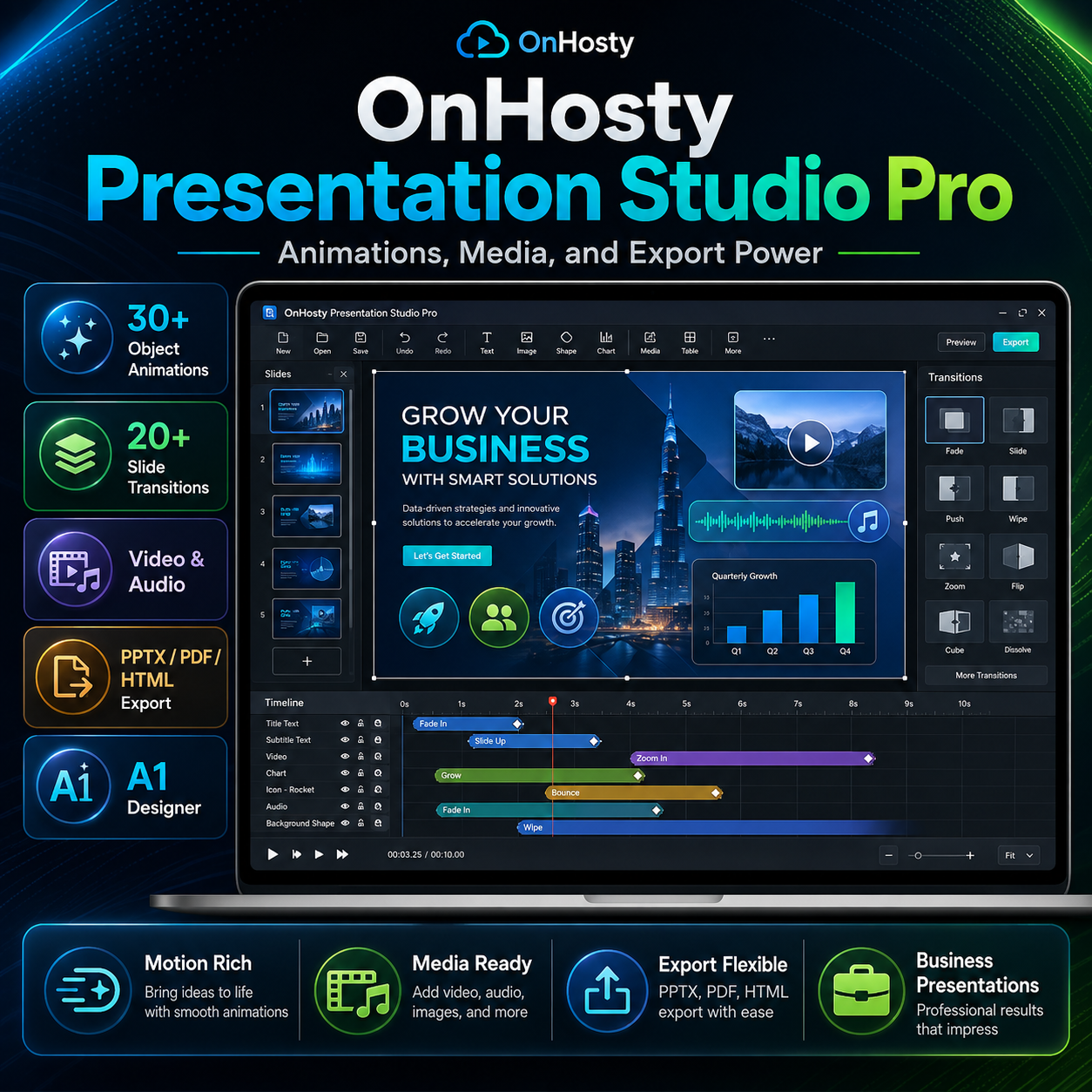
Bring presentations to life with a large animation library.
Entrance Effects
- Appear
- Fade In
- Fly Left
- Fly Right
- Fly Up
- Fly Down
- Zoom
- Bounce
- Flip In
- Blur In
- Rise Up
- Reveal
- Typewriter
- Pop
- Elastic
Emphasis Effects
- Pulse
- Spin
- Shake
- Wiggle
- Glow
- Float
- Grow
- Flash
- Swing
- Heartbeat
Exit Effects
- Fade Out
- Fly Out
- Zoom Out
- Flip Out
- Collapse
Animations support:
- Duration
- Delay
- Order
- On Click
- With Previous
- After Previous
- Animation preview
- Timeline ordering
Animation Timeline
Manage presentation motion from a dedicated animation timeline.
Control:
- Which object animates first
- Animation effect
- Start behavior
- Delay
- Duration
- Playback order
The timeline gives customers much greater control than basic one-click animations.
20+ Slide Transitions
Transition between slides using effects such as:
- Fade
- Push
- Wipe
- Split
- Reveal
- Zoom
- Flip
- Cover
- Uncover
- Dissolve
- Pan
- Rotate
- Blur
- Curtain
- Ripple
- Cube
- Morph
- Depth
- Drift
- Flash
Transitions can be previewed and applied to one slide or the entire presentation.
Transition duration can also be adjusted.
Professional Charts
Turn business data into visual presentations.
Create:
- Bar charts
- Line charts
- Pie charts
Charts include editable:
- Labels
- Values
- Chart type
Perfect for:
- Sales reports
- Marketing results
- Financial presentations
- Business reviews
- Client reports
- Training material
Video & Audio
Add multimedia directly to presentations.
Insert:
- Video
- Audio
Media can be played directly inside the presentation experience.
Administrators can also control customer media-upload limits.
Presenter Mode
Deliver presentations directly from the browser.
Presenter Mode includes:
- Fullscreen presentation
- Previous/next slide
- Keyboard navigation
- Slide counter
- Speaker notes
- Black-screen mode
- Animated objects
- On-click animation sequencing
Use the keyboard, mouse or presentation controls to move through a deck professionally.
Fullscreen Studio
Need more design space?
Fullscreen Studio expands the entire Presentation Studio interface to fill the browser screen.
The editor keeps:
- Ribbon tools
- Slides
- Canvas
- Properties
- Notes
Shortcut:
Ctrl/Cmd + Shift + F
Focus Canvas
For distraction-free design, use Focus Canvas.
Focus mode temporarily hides:
- Ribbon
- Slide sidebar
- Format sidebar
- Speaker notes
giving customers more room to concentrate on the slide itself.
Comments
Collaborators can leave comments on:
- An entire slide
- A selected object
Comments include:
- Author
- Timestamp
- Resolve
- Reopen
- Delete
- Visual comment badges
Presentation Sharing
Share presentations with authorized users using permissions such as:
- Can View
- Can Comment
- Can Edit
Only the owner retains sensitive management controls such as deleting or re-sharing the original presentation.
Collaboration
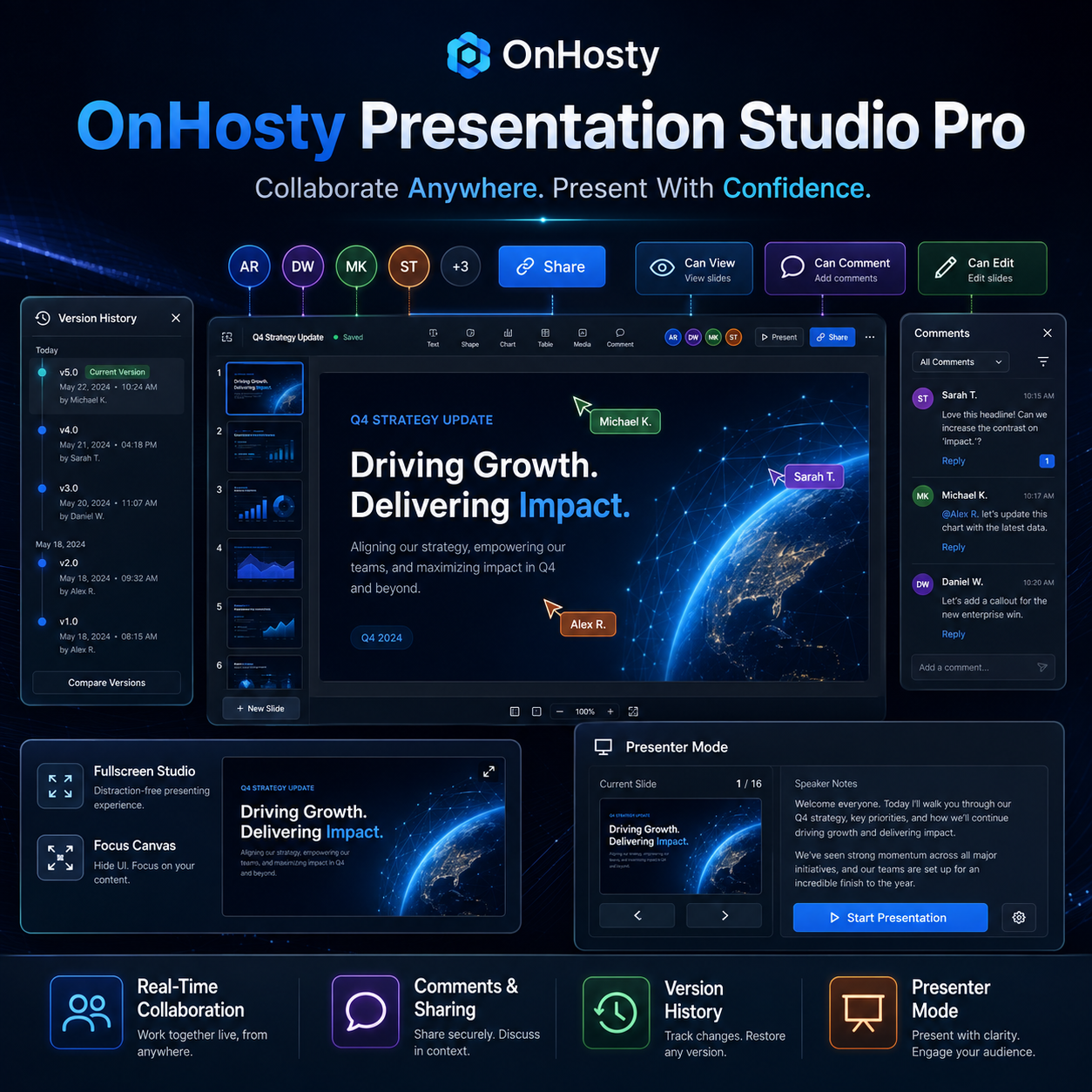
Work on presentations with other authorized users.
Collaboration features include:
- Live presence
- Shared editing
- Version-token conflict protection
- Comments
- Sharing permissions
- Version history
If another editor saves a newer presentation while you still have an older copy open, Presentation Studio detects the conflict instead of silently overwriting newer work.
Version History
Presentation Studio keeps WordPress-backed revisions.
View:
- Save date
- Save time
- Author
Then restore a previous presentation version when needed.
Administrators can configure revision-retention limits.
Autosave & Recovery
Protect customer work with:
- Automatic saving
- Manual saving
- Browser crash recovery
- Collaboration conflict detection
- Version history
Customers can work with greater confidence knowing important changes are not dependent on one manual save.
PPTX Import & Export
Work with PowerPoint-compatible .pptx files.
Basic PPTX support includes:
- Slide text
- Standard positioning
- Basic shapes
- Colors
- Font sizing
- Slide backgrounds
- Images
- Basic rotation
Presentation Studio can also recover common text and image information from imported PPTX presentations.
Complex proprietary PowerPoint effects, SmartArt, VBA, highly advanced animations and unusual layouts may require manual adjustment.
PPTX functionality requires compatible PHP ZIP/XML extensions on the hosting server.
Additional Export Options
Export presentations using:
- PPTX
- HTML presentation
- JSON backup
- Save as PDF
This gives customers several ways to distribute, archive or present their work.
AI-Ready Presentation Creation
Presentation Studio includes an AI-ready workflow for actions such as:
- Create Presentation
- Generate Outline
- Improve Slide
- Generate Speaker Notes
- Improve Design
AI can eventually help customers move from a simple idea to a structured presentation much faster.
Bring Your Own OpenAI API Key
Administrators can optionally allow customers to connect their own OpenAI API key.
With BYOK, the customer uses their own API billing account rather than consuming OnHosty-funded AI credits.
Their API key is handled server-side and is not returned to the frontend after being saved.
Optional OnHosty AI Credits
Customers who do not want to configure their own API account can optionally use OnHosty AI Credits.
The OnHosty AI system can:
- Meter AI usage
- Track token consumption
- Deduct prepaid credits
- Record customer usage
- Apply configurable OnHosty markup
- Support WooCommerce AI-credit purchases
Customers can also optionally enable OnHosty AI as a fallback if their own API key fails.
Workforce-Ready
Presentation Studio is built to integrate with the future OnHosty AI Workforce.
Workforce agents can eventually perform actions such as:
- Create a presentation
- Build an investor pitch deck
- Update slides
- Generate speaker notes
- Create sales presentations
- Turn reports into slides
- Improve presentation content
- Generate charts
- Create training decks
- Update customer presentations automatically
The architecture is already prepared for server-side Workforce access without exposing sensitive presentation or API credentials in the customer’s browser.
Private Customer Presentations
Presentations are stored as private WordPress records rather than ordinary public posts.
Administrators can control:
- Who can use Presentation Studio
- Number of presentations
- Maximum slides
- Image upload size
- Media upload size
- Revision history
- Sharing
- Collaboration
- AI availability
- PPTX support
This makes Presentation Studio suitable for membership plans, service tiers and managed OnHosty customer accounts.
Professional Browser-Based Presentation Creation
OnHosty Presentation Studio Pro combines slide design, presentation templates, motion, visual editing, collaboration, AI-ready workflows and professional presentation delivery into one powerful browser-based workspace.
Create beautiful presentations.
Present professionally.
Collaborate securely.
And build faster with OnHosty.


Reviews
There are no reviews yet.